Independent editorial comparison by JPB Software Solutions LLC, based on manufacturers' published specifications. We are not paid by these manufacturers. As an Amazon Associate I earn from qualifying purchases: some "Check price on Amazon" links on this page are affiliate links, and commissions never influence our rankings.
Laser Engravers · Buying guide · Updated October 2026
Best Laser Engravers: Enclosed Desktop, Open-Frame, Portable and CO2 Compared
Laser engravers range from pocket-sized diode units to enclosed CO2 systems built for small-batch production. This comparison lines up four current machines that represent distinct buying paths: an enclosed diode cutter, an open-frame high-power diode machine, a portable dual-source handheld, and an enclosed CO2 printer. All specifications below come from each manufacturer's own product and spec pages, not hands-on testing.
For most buyers choosing a first laser engraver, the xTool S1 offers the best balance of a large work area, a true enclosure with a Class 1 safety rating, automatic focus, and built-in air assist — without requiring cloud connectivity or added enclosure accessories to run it safely, based on published specifications.
Every laser engraver on this list emits a beam that can cause permanent eye damage and start fires. Always wear laser safety glasses rated for your machine's wavelength, run the unit with proper ventilation or a fume extractor/air purifier, and never leave a running laser unattended — even machines with flame detection and enclosures are not a substitute for supervision. Never cut or engrave PVC, vinyl, or any material containing chlorine: burning it releases chlorine gas and can produce hydrochloric acid that damages lungs and equipment. Always check and follow the manufacturer's approved material list before running a job, and keep a fire extinguisher rated for electrical/fire use nearby.
The 30-second answer
Which one should I buy?
Best Overall
xTool S1 Enclosed Diode Laser Cutter (40W)
Choose this if: xTool S1
Fully enclosed with a Class 1 safety rating — the lowest listed hazard class here
498 x 319mm work area is large for an enclosed desktop diode machine
Automatic focus and built-in air assist without extra accessories
Enclosed and Class 1 rated like Glowforge, but diode power tops out lower than a CO2 laser on thick or reflective materials.
Falcon2 Pro
The highest-power diode here, but it ships open-frame, so you are responsible for enclosure, eye protection and fire watch.
LaserPecker LP5
The smallest, most portable unit here, but its base working area (120 x 160mm) is far smaller than the desktop machines.
Glowforge Pro
The most capable material list and passthrough feature, but Glowforge rates it a Class 4 laser product and it needs cloud connectivity plus a separate air filter for indoor venting.
Side by side
Compare the specs
All figures are drawn directly from each manufacturer's official product or spec pages. Fields marked "Not listed" were not published and are not estimated.
Laser Engravers specifications with category winners
Spec
xTool S1 Enclosed Diode Laser Cutter (40W)
Creality Falcon2 Pro 60W Laser Engraver
LaserPecker LP5
Glowforge Pro
Laser type
Diode (blue, 455nm); optional 2W/20W IR module add-on
Diode (blue); 12 combined 5.5W diodes via FAC spot-compression, plus bonus 1.6W module
Dual source: 20W fiber laser + 20W blue diode laser
CO2 tube
Power
40W diode (20W option also sold)
Winner60W (optical output rated via FAC compression)
20W fiber / 20W diode
45W
Work area
19.6 x 12.5 in (498 x 319mm)
Winner15.75 x 15.75 in (400 x 400mm)
120 x 160mm (basic); 160 x 300mm with Slide Extension accessory
Cutting area approx. 11 x 19.5 in (279 x 495mm); unlimited material depth via Pro Passthrough
Bed / footprint
23.93 x 15.16 in (608 x 385mm)
400 x 400mm
Galvanometer-based, no fixed bed; mounted on included stand
External footprint 38 x 20.75 x 8.25 in (965 x 527 x 210mm)
Max speed
Up to 600mm/s
Up to 3x faster than Creality's 22W module (exact mm/s not listed)
WinnerUp to 10,000mm/s (galvanometer scan speed)
Top speed listed as 12x faster than Glowforge Spark (exact mm/s not published)
Autofocus
Yes, automatic distance sensor
Not listed as automatic; module height adjustable
Not listed as automatic on base unit
Yes, automatic material height sensing
Camera
No built-in camera; uses Pin-point Positioning (encoder-based) instead of camera framing
Yes, HD camera for full-frame preview and batch positioning
Optional — only included with the separate Safety Enclosure accessory
Yes, built-in live camera view (HD preview mode)
Enclosure
WinnerFully enclosed, Class 1 laser safety rating
Open-frame (not enclosed)
Open by default; optional Safety Enclosure sold separately
Fully enclosed
Ventilation / air assist
Built-in smoke exhaust pipe; air assist included
Air assist port on laser module; compatible with separate air purifier/exhaust accessories
Built-in exhaust fan on protective cover; connects to pipe or optional air purifier
Requires external venting or the separate Glowforge Air Filter (HEPA + activated carbon)
Safety features
Class 1 enclosure, emergency stop button, key lock/operation access control, optional Fire Safety Set
Open-frame design — relies on safety glasses and a separate enclosure accessory for full containment
Security key required to operate; conical protective cover with front light filter
Class 4 laser product per Glowforge's own spec sheet; enclosed housing; software-enforced lid/safety interlocks
Software
xTool Creative Space (XCS) and xTool Studio
Creality Falcon / Creality Print software
LDS Software (desktop) and LDS mobile app
Glowforge Print (cloud-connected web app)
Portability
Desktop unit, not designed to be carried often
Desktop gantry unit, not intended for frequent carrying
WinnerCompact galvo head on an electric stand — the most portable unit here
Large stationary desktop unit; not portable
Best fit
Hobbyists and small businesses wanting an enclosed, safer diode machine with a large bed
Small-business and hobbyist users who need high cutting power and a camera, and can manage open-beam safety
Makers who want to engrave metal and organic materials with one portable dual-laser unit
Small businesses and makers wanting the widest verified material compatibility and a Passthrough slot for long materials
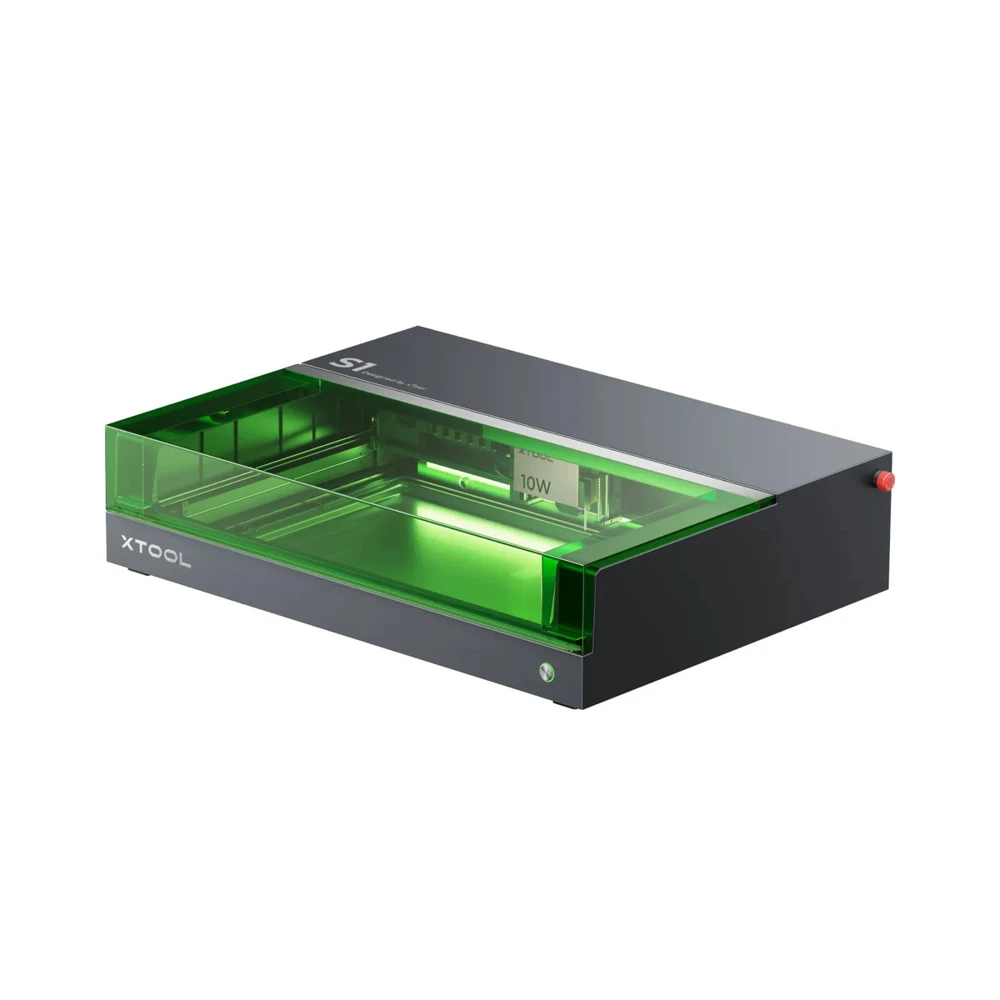
The S1 pairs a 40W diode laser with a fully enclosed Class 1 housing, a sensor-based autofocus, and a work area of about 498 x 319mm — among the largest in this enclosed-diode class, based on published specifications.
Key advantages
Fully enclosed, Class 1 safety rating
Large 498 x 319mm work area for a desktop diode machine
Automatic focus via distance sensor
Built-in air assist and exhaust pipe
Emergency stop button and access control
What you give up
No built-in camera for visual material placement on base model
Diode lasers generally cut thick or reflective materials slower than CO2
Optional IR module and rotary sold separately
Best for: Buyers who want an enclosed diode machine with a big work area and simple software
The Falcon2 Pro's combined 60W diode output is rated by Creality to cut 22mm basswood and 30mm black acrylic in a single pass, with a 400 x 400mm bed and an HD camera for batch-job preview — strong numbers for an open-frame machine, on paper.
Key advantages
60W combined diode power — highest cutting ability listed here
400 x 400mm work area
HD camera for full-frame batch preview
Single-pass cutting of thick wood and acrylic per Creality's specs
What you give up
Open-frame — no built-in enclosure or flame detection
Requires separate safety glasses, air purifier, and ideally an enclosure accessory
No automatic focus listed
Best for: Buyers who want the most cutting power per dollar and a camera-guided workflow, and can add their own enclosure
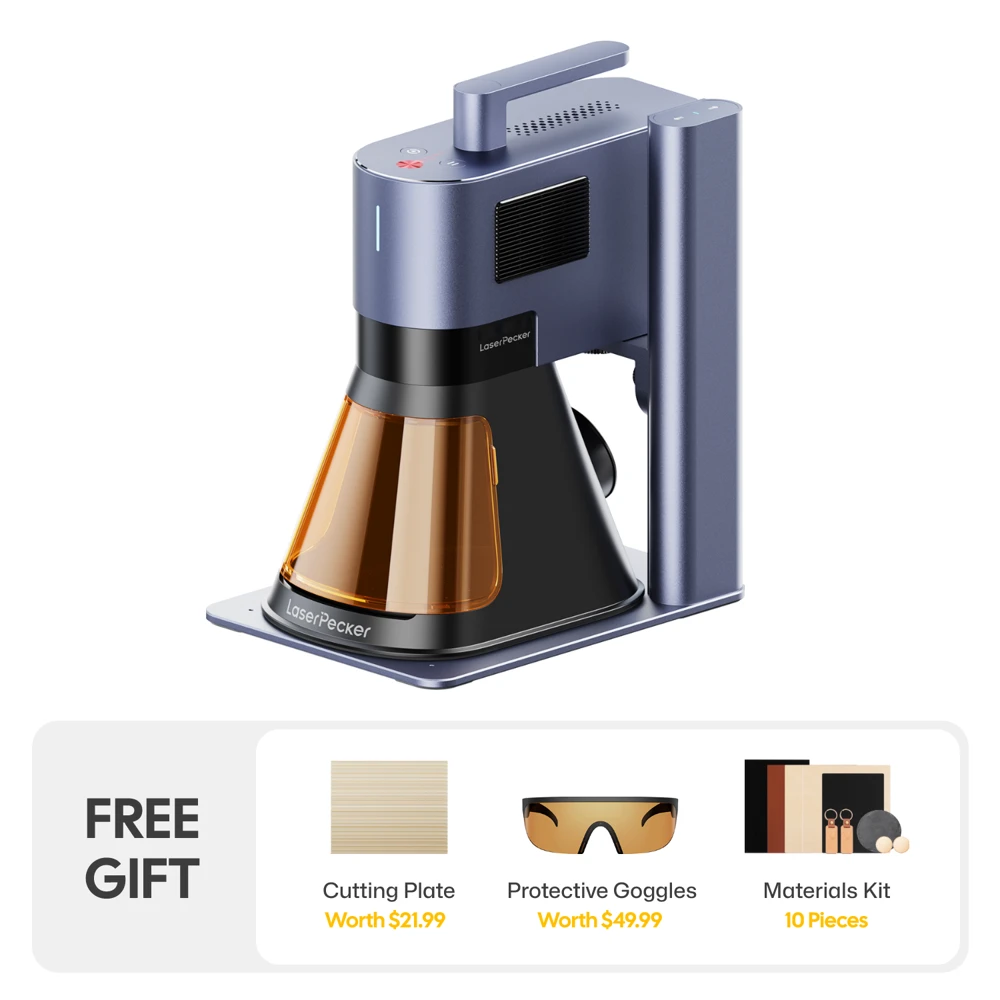
The LP5 fits a 20W fiber laser and a 20W diode laser into a compact galvanometer head rated for scan speeds up to 10,000mm/s, letting one portable unit mark metals with the fiber source and engrave wood, leather or acrylic with the diode source, based on LaserPecker's published specs.
Key advantages
Two laser sources in one compact unit: fiber for metal, diode for organics
Very high rated scan speed (10,000mm/s)
Most portable and lightest design in this comparison
Security key prevents unauthorized operation
What you give up
Small base work area (120 x 160mm) versus desktop machines
Camera only available by buying the separate Safety Enclosure
No full enclosure included by default
Best for: Buyers who want a compact, dual-material (metal + wood/leather) machine that can travel
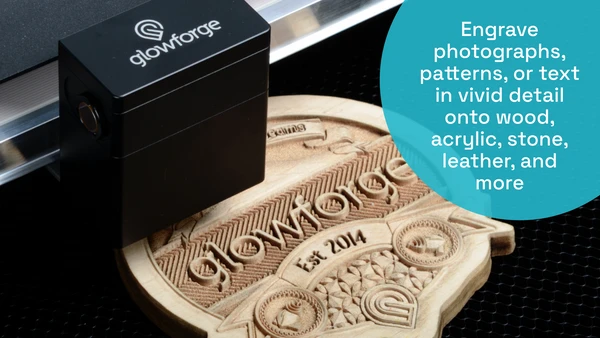
The Glowforge Pro uses a 45W CO2 laser with a built-in HD camera, automatic focusing, and a Pro Passthrough slot rated for unlimited material length, based on Glowforge's own tech-spec pages — the only CO2 and only passthrough-capable machine in this group.
Key advantages
CO2 laser handles a wider verified material list, including glass and some clear materials
Built-in HD live camera and automatic focus
Pro Passthrough slot for unlimited-length material
Fully enclosed housing
What you give up
Rated Class 4 laser product by Glowforge, a higher hazard class than the diode machines here
Requires cloud connection to operate (Glowforge Print is cloud-based)
Needs external venting or a separately sold air filter
Largest footprint and heaviest machine in this comparison
Best for: Buyers who want CO2 cutting power, a camera-guided workflow, and support for the widest range of materials
Diode vs CO2 vs fiber: picking the right laser type
Diode lasers (used in the xTool S1, Creality Falcon2 Pro, and the diode side of the LaserPecker LP5) are affordable, compact, and well suited to wood, leather, acrylic, and other organic materials. They generally cut more slowly through thick or reflective stock than CO2 lasers.
CO2 lasers (the Glowforge Pro) use a gas-filled tube and typically cut a broader range of materials, including some glass and acrylics, often at higher power and speed, but the machines and replacement tubes tend to cost more.
Fiber lasers (the LP5's second laser source) are built specifically for marking and cutting metals and certain plastics — they are not effective on wood or leather, which is why dual-source machines pair a fiber laser with a diode laser.
Practical context
Enclosed vs open-frame: what the difference means for safety
An enclosed machine, like the xTool S1 or Glowforge Pro, fully contains the beam and typically includes safety interlocks that pause the laser if the lid opens. That generally supports a lower safety classification and is easier to use around other people or pets in the room.
Open-frame machines, like the Creality Falcon2 Pro, expose the beam path. They often have higher raw power and lower upfront cost, but the operator is responsible for eye protection, a safe workspace, and ideally adding a compatible enclosure accessory.
Regardless of enclosure type, never leave a running laser unattended, and always check whether a material is on the manufacturer's approved list before cutting or engraving it.
Practical context
Work area, camera and autofocus: what they change about your workflow
A larger work area lets you batch multiple parts or engrave bigger single pieces without repositioning, which matters more for small-business production than for occasional personal projects.
A built-in camera for frame preview (Falcon2 Pro, Glowforge Pro) lets you place artwork precisely on a photographed material before cutting, reducing wasted material — the LP5 only gets this with its optional enclosure accessory.
Automatic focus removes a manual setup step and helps consistency across different material thicknesses; machines without it require manually adjusting the laser head height for each job.
Before you buy
Buying guide
Match the laser type to your materials
If you work mainly with wood, leather, acrylic or paper, a diode machine (xTool S1, Falcon2 Pro) covers most needs. If you need to mark or cut metal regularly, you need a fiber laser (like the LP5's fiber source) or a much higher-power setup — diode and standard CO2 lasers do not mark bare metal well.
Decide how much enclosure and safety automation you want to manage yourself
Enclosed machines reduce the setup burden around eye protection and bystander safety but cost more for the same power. Open-frame machines are typically cheaper per watt but put more safety responsibility on the operator.
Check ventilation requirements before you buy
All of these machines produce smoke, fumes, or particulates that should be vented outside or filtered through a dedicated air purifier/fume extractor. Factor the cost and placement of ventilation equipment into your decision, especially for the Glowforge Pro and Falcon2 Pro, which call out separate air filter or purifier accessories.
Think about work area versus portability
A larger bed (Falcon2 Pro's 400 x 400mm, or the Glowforge Pro's passthrough) supports bigger projects and batch production, while a compact, portable unit like the LP5 trades work area for the ability to move the laser to the project instead of the other way around.
Confirm software and connectivity fit your setup
Glowforge Print requires a cloud connection to operate at all, which some buyers in limited-connectivity environments may want to avoid. xTool, Creality and LaserPecker all offer desktop software that can run jobs without a mandatory cloud dependency.
FAQ
Common questions
Which of these laser engravers is safest for a home with family or pets nearby?
The two enclosed machines, the xTool S1 (Class 1 rated by xTool) and the Glowforge Pro (Class 4 rated by Glowforge despite its enclosure), both contain the beam path, but the S1's published safety class is lower. Regardless of the machine, never leave a running laser unattended and keep the room ventilated.
Can any of these cut metal?
Only the LaserPecker LP5's fiber laser source is built for marking and cutting thin metal sheets (LaserPecker lists up to 1mm on brass, stainless steel, aluminum, and titanium). The diode lasers in the xTool S1 and Falcon2 Pro, and the CO2 laser in the Glowforge Pro, are not suited to engraving or cutting bare metal.
Do I need a fume extractor or air filter for all of these machines?
Yes. All four produce smoke or fumes that should be vented outdoors or filtered. The Glowforge Pro and Falcon2 Pro each have a manufacturer-sold air filter/purifier accessory; the xTool S1 includes a smoke exhaust pipe; the LaserPecker LP5's protective cover has a built-in exhaust fan that can connect to a pipe or optional air purifier.
Is it safe to laser PVC, vinyl, or similar plastics on any of these machines?
No. Materials containing chlorine, including PVC and many vinyls, release chlorine gas and can form corrosive byproducts when lasered, which is hazardous to breathe and can damage the machine's optics and structure. Always check the manufacturer's approved material list before running any material.
Which machine needs the least extra accessories to start safely?
Based on published specs, the xTool S1 ships enclosed with air assist and a smoke exhaust pipe included. The Falcon2 Pro (open-frame) and Glowforge Pro (needs a filter or external vent) typically require additional accessories to run comfortably indoors.
Can the LaserPecker LP5 replace a full-size desktop laser engraver?
Not for large or batch work — its base work area (120 x 160mm, extendable to 160 x 300mm with an accessory) is far smaller than the desktop machines in this comparison. It's best suited to smaller items, metal marking, and situations where portability matters more than work area.
How we compared
This guide is based on our comparison of manufacturer specifications and published product information, not on hands-on lab testing. Recommendations reflect specifications, trade-offs and buyer fit only — commissions and other commercial factors never influence rankings. Prices change, so we don't list them; check the retailer for the current price.